User guide
Clash detection
Find where the model's elements cross or come too close: search sets by rules, hard and clearance tests between them, clashes followed from run to run, shown in 3D and sent as BCF.
Manage → Clash detection finds where elements of the model cross each other, or come closer than they should. It works on Lapin's own elements and on linked IFC and Fragments files alike, so it also coordinates the models other disciplines send you.
Tests and sets
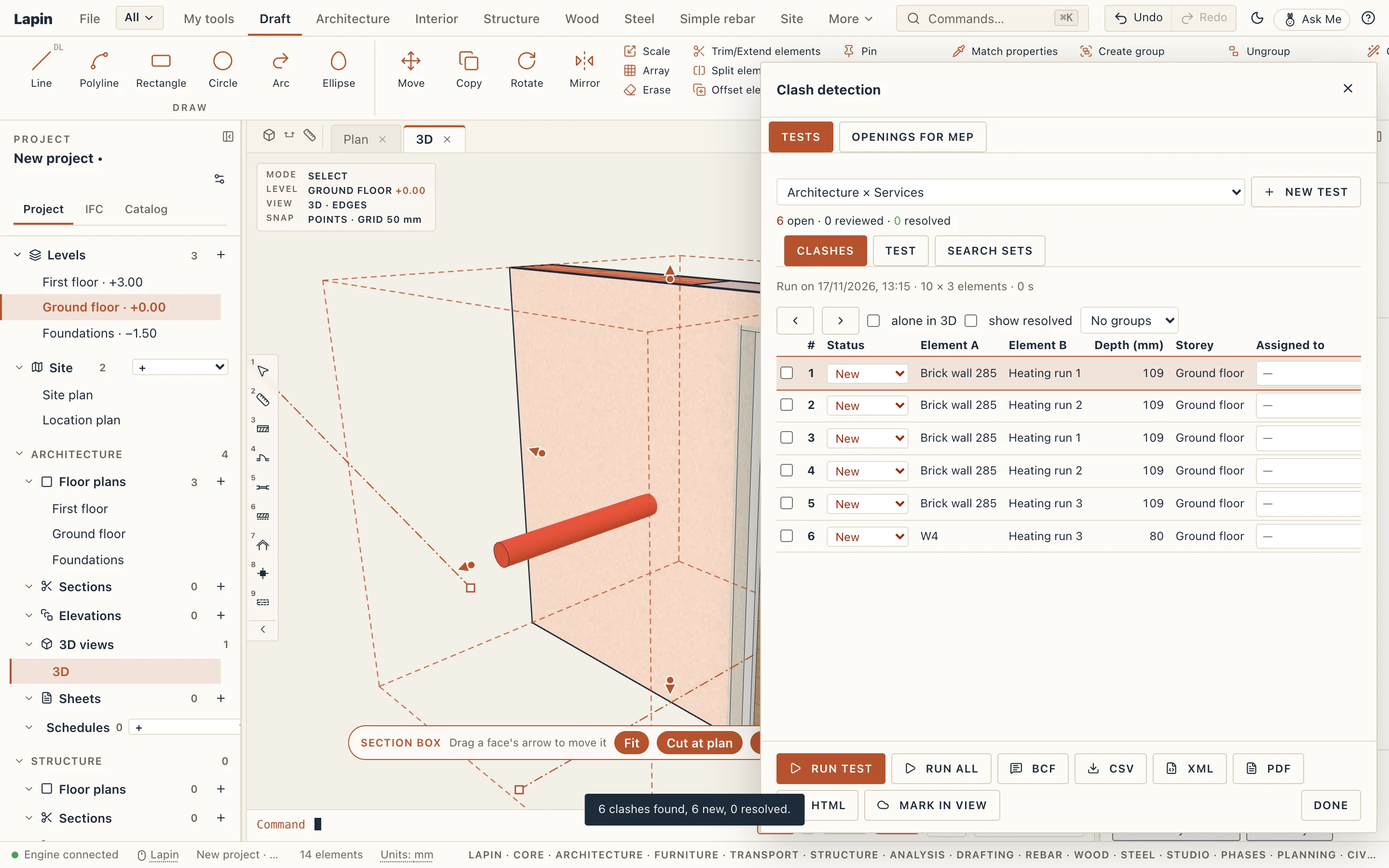
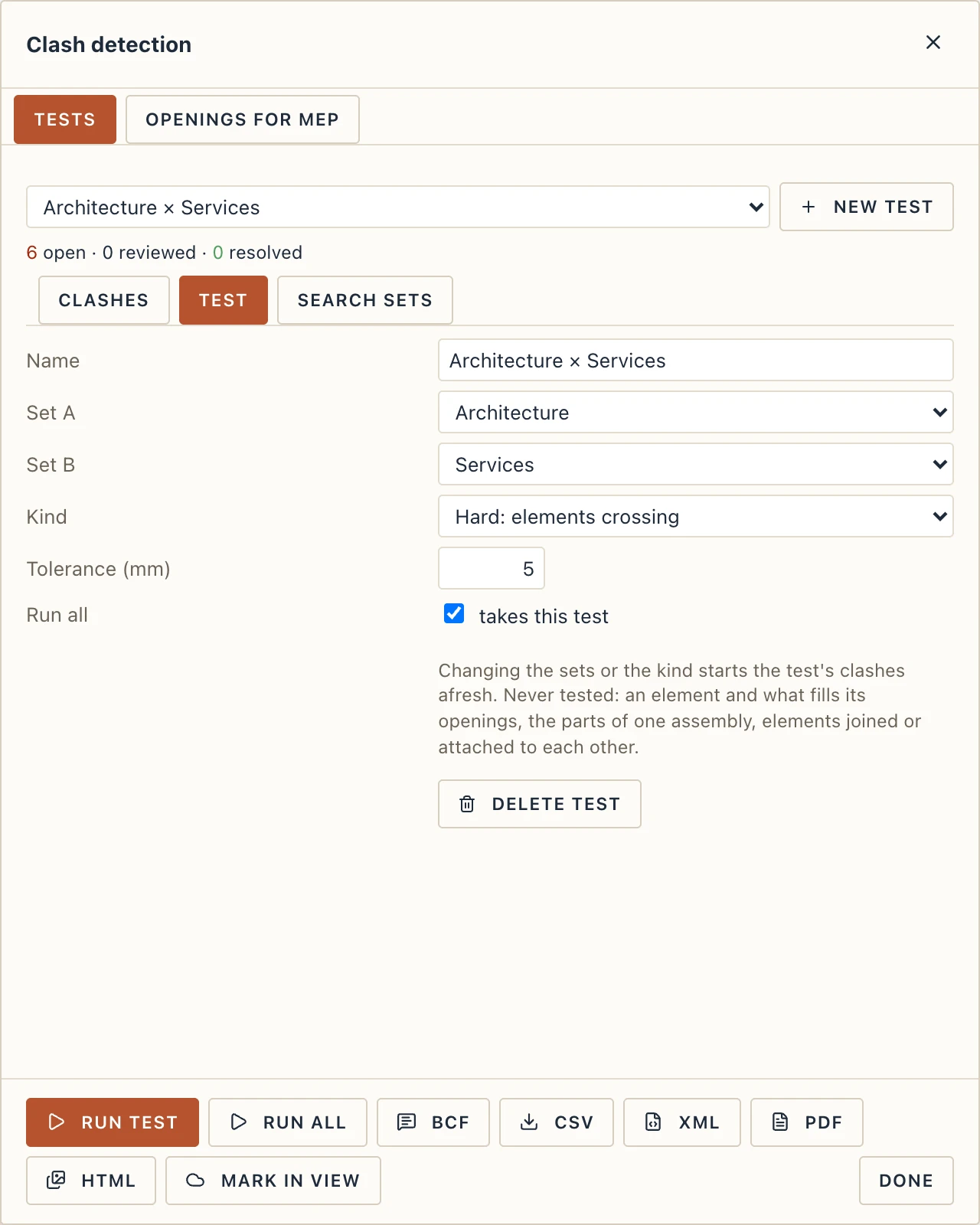
A clash test compares two search sets: set A against set B, or one set against itself. A project starts with three sets (Structure, Services, Architecture) and three hard tests: Structure × Services, Services × Services and Architecture × Services.
- Hard tests find elements that cross. Their tolerance (5 mm by default) ignores crossings that shallow, so a finish laid 3 mm into a wall is not reported.
- Clearance tests find elements closer than a distance (50 mm by default), and crossings too.
Some pairs are never tested, because they are meant to meet: a wall and the door or window that fills its opening, the parts of one assembly, walls joined at a corner, and elements attached to each other (a beam fitted on a column, a wall attached to a roof).
Running and following clashes
Run test runs the test in front; Run all runs every test that is on. Nothing runs by itself: the results stay in the project until you run the test again, and the dialog says when the model has changed since.
Each clash keeps its number from run to run. A clash found for the first time is New; found again, it is Active. Mark it Reviewed or Approved by hand, give it to someone (Assigned to) and write Notes. A clash that a run no longer finds becomes Resolved; if it comes back, it is open again, with the same number.
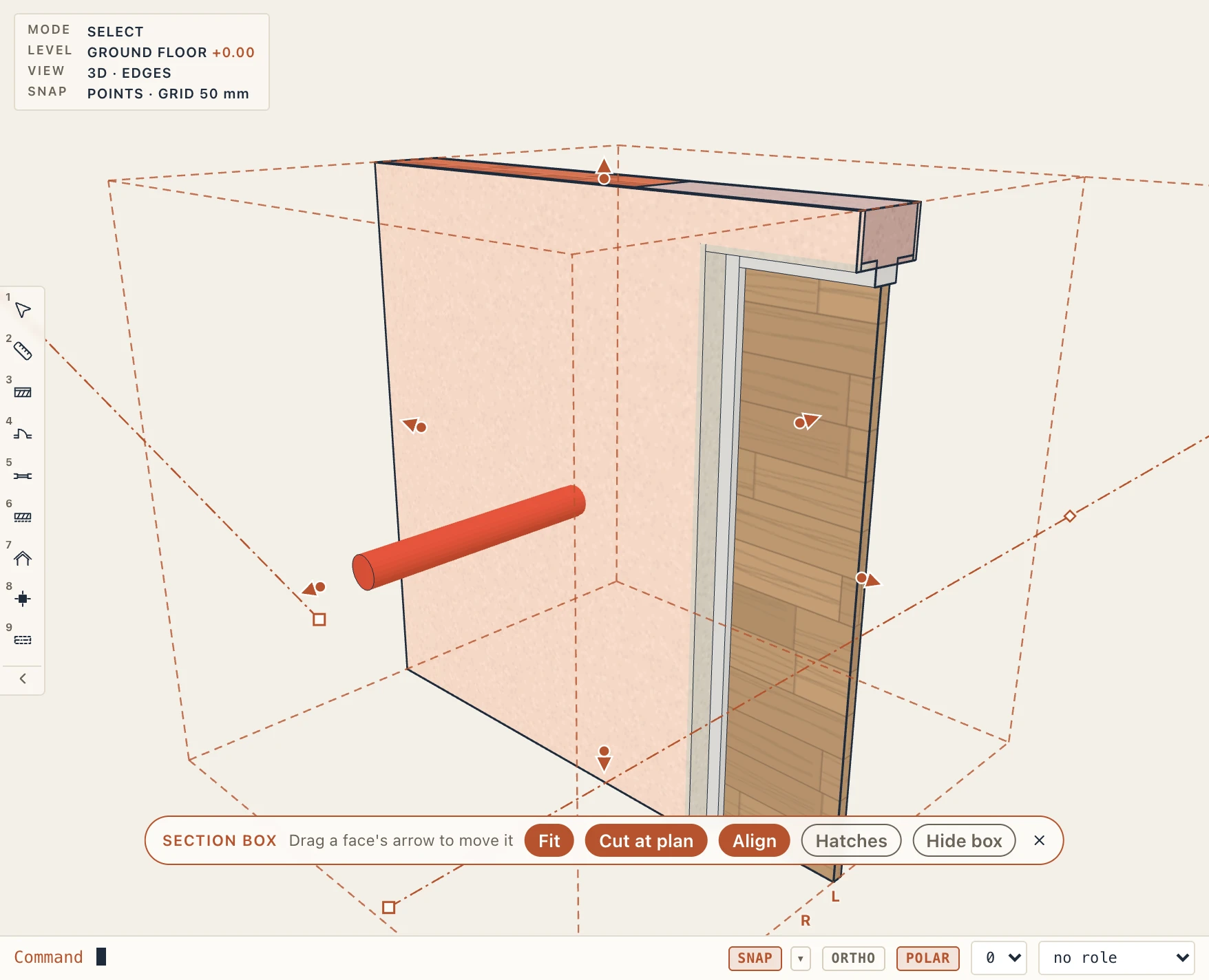
Click a clash to see it in 3D. Lapin selects the two elements, puts a section box around where they meet and looks at them from the side, so you see the pipe through the wall rather than the wall's face. alone in 3D hides everything else; the arrows go through the clashes one by one. The dialog stays at the right, so you can move the camera while it is open.
BCF makes each open clash (or those you selected) a remark of type Clash, with its viewpoint, and saves them as a BCF file for other BIM tools; sending again updates the same remarks. CSV saves the list for a spreadsheet.
Search sets
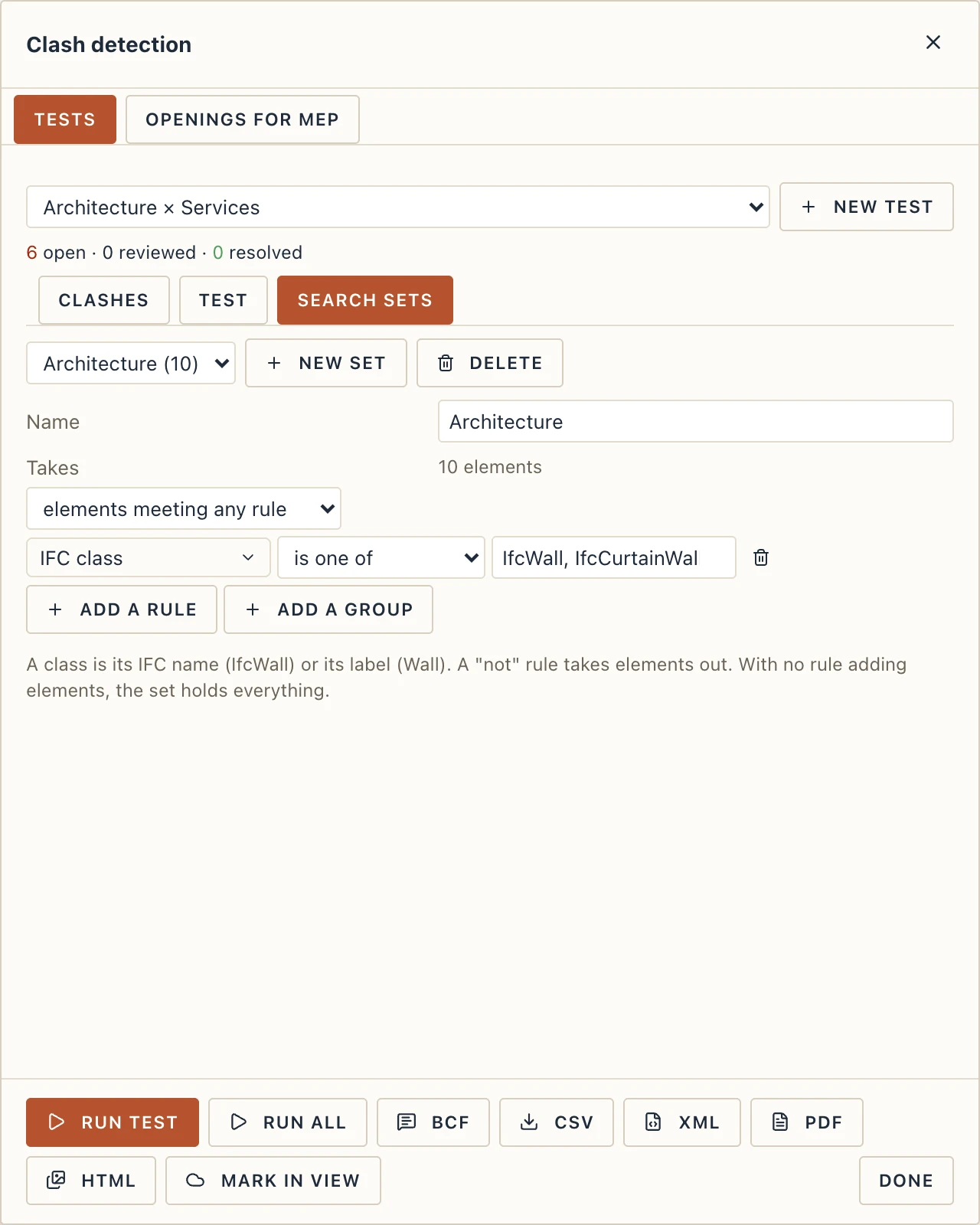
Search sets holds the rules that choose a set's elements. They are written in the editor Quick select and the view filters use (see Quick select). A rule reads a field of the element (its class, predefined type, type, storey, material, name, linked file, category, group, phases, any parameter as text, or any field of the project) with an operator: is, is not, contains, does not contain, starts with, is less than, is at most, is greater than, is at least, is between (either end may stay empty), is one of, is none of, has a value, has no value. Numbers are read as people write them: "600 mm" is 600. Add a group nests rules of their own, all or any of them, as one more rule.
A set takes the elements meeting any rule, or every rule. A "not" rule always takes elements out, and a set with no rule adding elements holds everything. The count next to the set shows how many elements the rules take as you type.
Groups, reports and clouds
The list groups its clashes by storey, by element (the element in most clashes takes them, then the next), by classes or by status. A group's box selects all its clashes, to give them a status together.
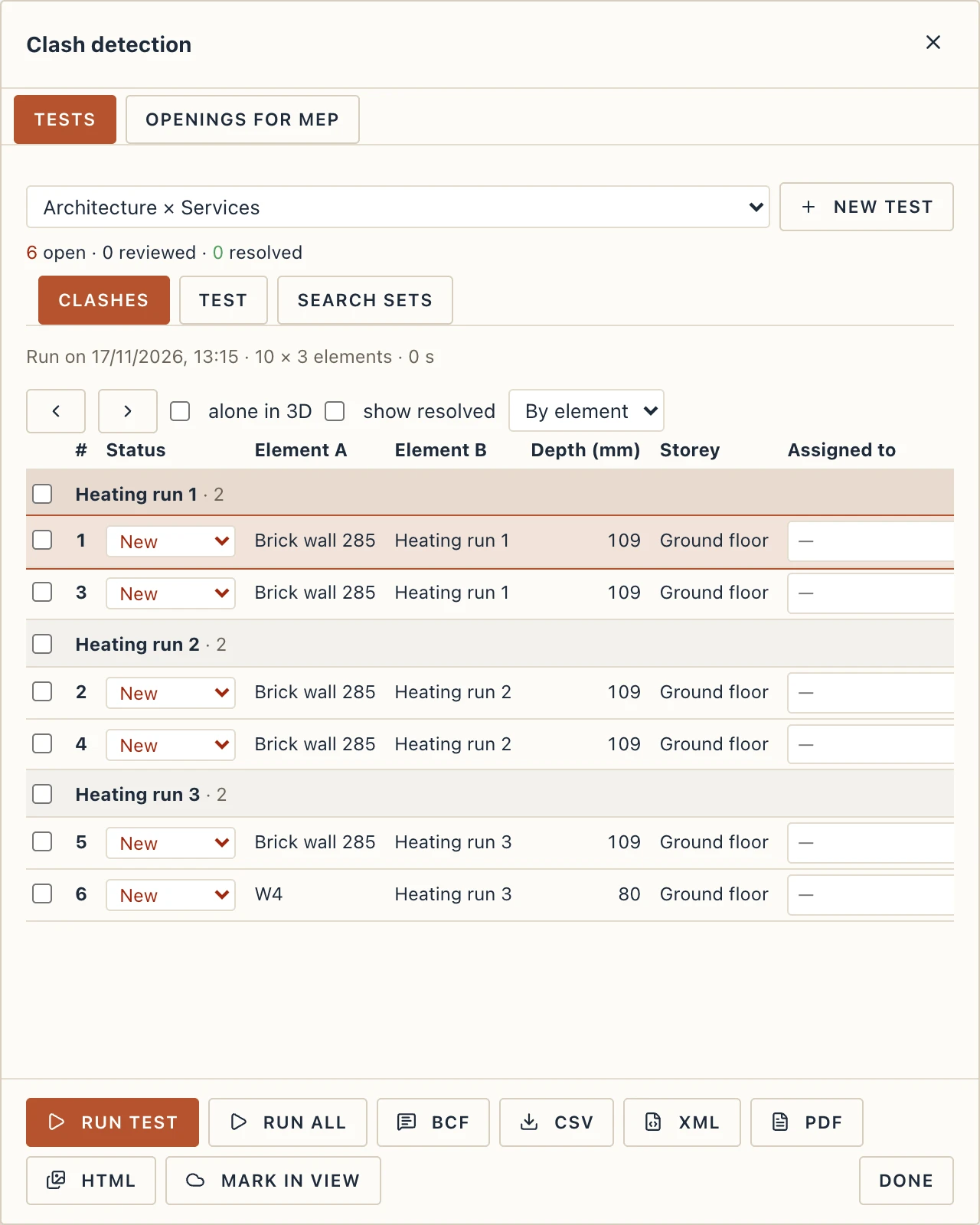
- XML writes the clashes as Navisworks writes its clash reports, in their groups, so other coordination tools read them.
- PDF prints the list on A4, grouped the same way.
- HTML makes one page with a picture of each open clash, framed in the 3D view in turn.
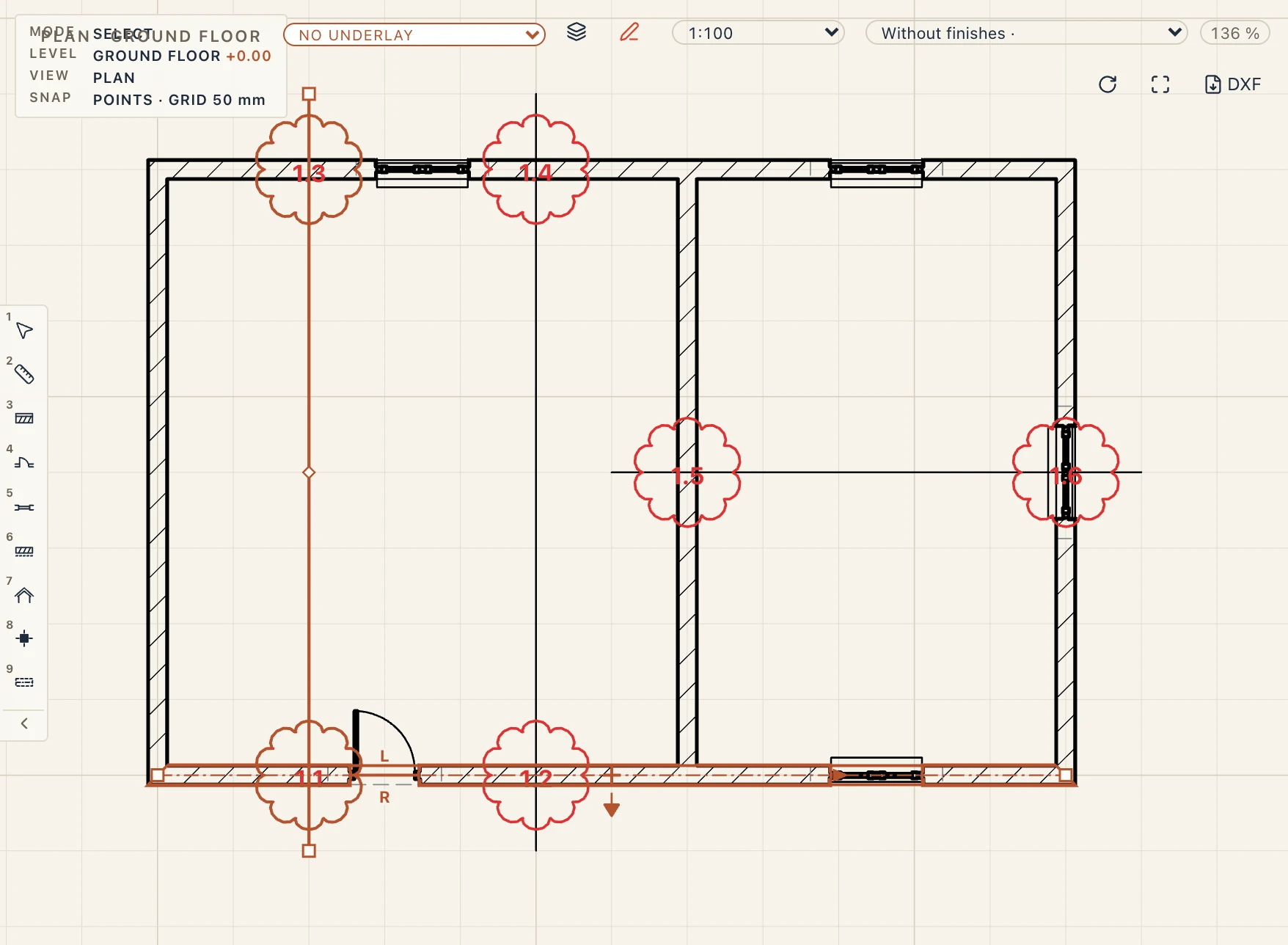
- Mark in view draws the open clashes in the plan, section or elevation in front as red clouds labelled test.clash (2.14: the second test, clash 14), on the screen only. A click on a cloud selects the element.
A project also starts with a fourth test, Openings for MEP: the check of the Openings for MEP tab (the same window: Manage → Clash detection) run as a test, so its problems are numbered and followed like the others. Its depth is how far a run is short of its opening.
A hard test also finds an element wholly inside another, where no faces cross: a pipe forgotten inside a slab. Its depth is the inner element's smallest width.
Clash detection follows the design, the numbers and the tests of BimGo, by Aussie BIM Guru (MIT-0), rewritten in Lapin.