Guide de l’utilisateur
Rules
The limits and choices Lapin's tools propose from, kept as data you can read and change — stair limits, reinforcement steels, diameters and hooks, roofs' least pitches, bolt grades; checked against the project, never forced on it.
Lapin's tools work from numbers: the most a riser may be, the steels a bar can be made of, the least pitch of a roof covering. Manage → Rules… shows those numbers as tables, so you can see them, change them to your country's norm or your office's habit, and keep them with the project.
Nothing is refused
A rule is a proposal. The Stair tool aims at the riser the rules name, a new bar takes the steel they list, a roof under its covering's least pitch is warned of. You can always draw what you like: the tools propose and warn, they never refuse.
The packs
A pack is a complete set of rules, with a name.
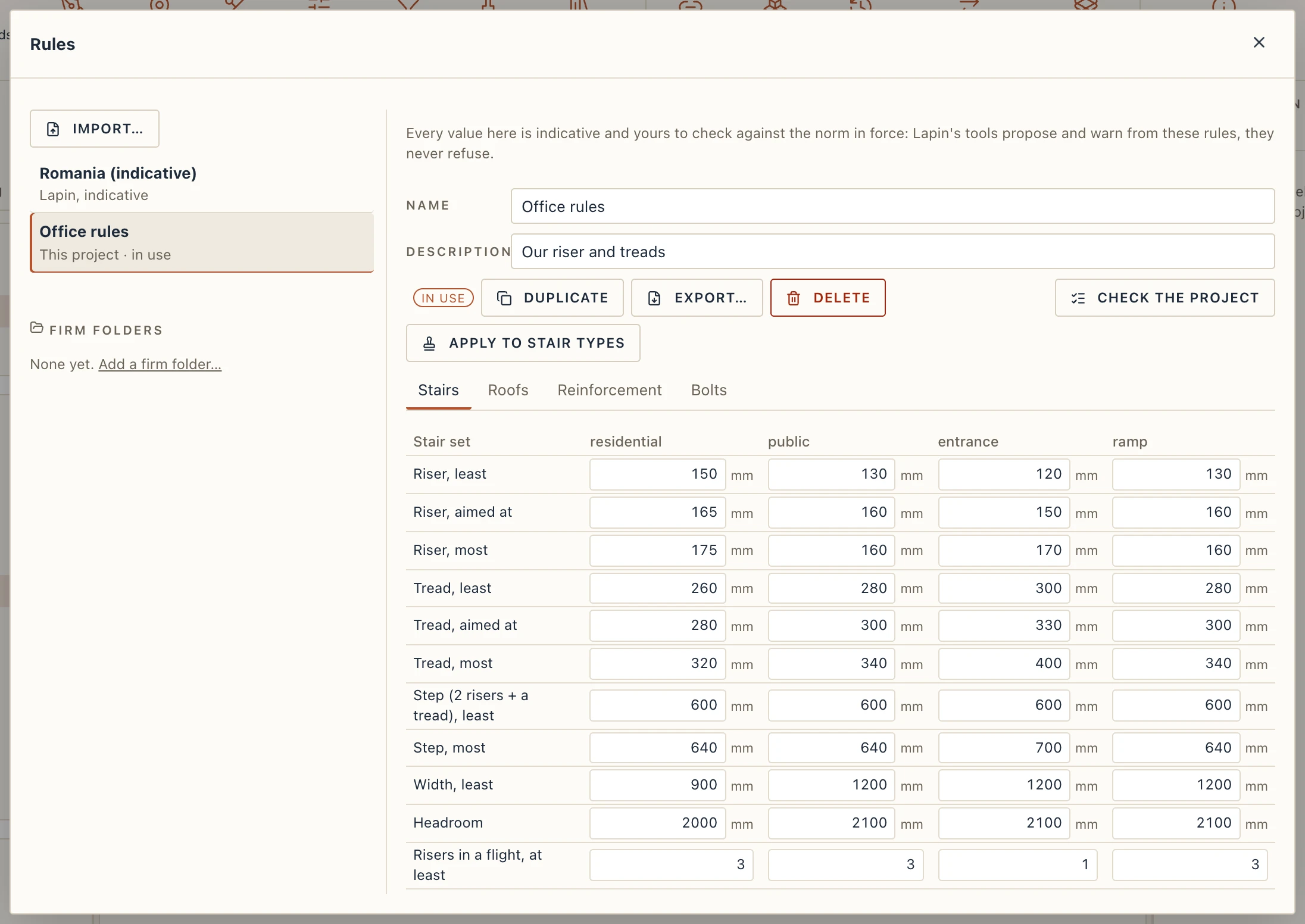
- Romania (indicative) is Lapin's own pack, marked Lapin, indicative. It holds the values the tools have always used (STAS 2965 and NP 063 for stairs, SR EN 1992-1-1 for bars). It is read only: Duplicate makes a copy in the project to change.
- This project lists the packs you made. They travel in the project file.
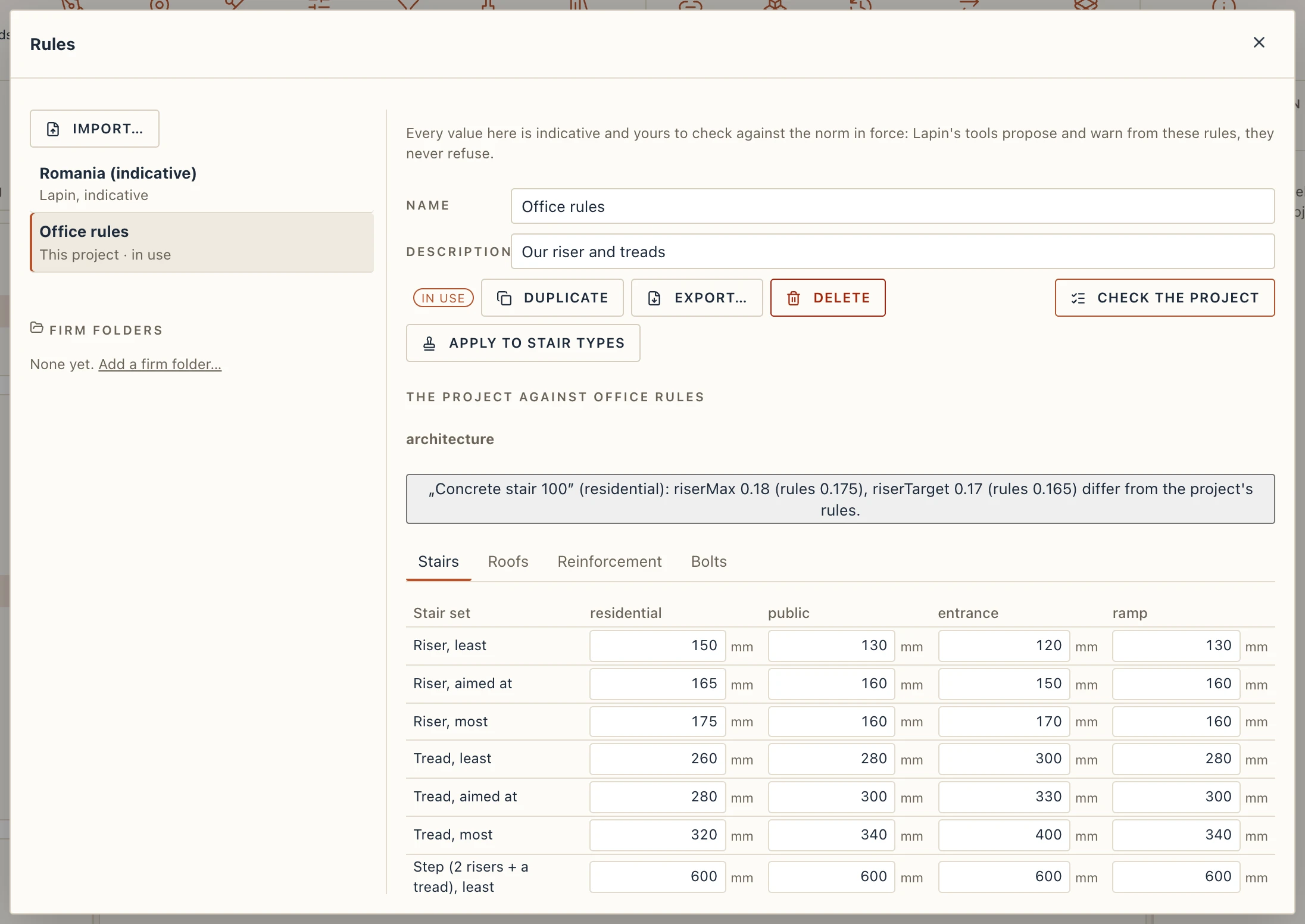
Choose a pack in the list on the left to see it. Use in this project makes it the one the tools read (In use marks it). Duplicate copies the pack shown, Delete removes one of yours (the project goes back to Lapin's if it was in use), and the Name and Description of your own packs can be edited.
Export… writes the pack as a .lapinrules file and Import… reads one back as a pack of the project: that is how a firm's rules, or a colleague's, travel between projects.
What a pack holds
A tab for each part of the pack the project's modules read:
- Stairs. One column for each Stair set (residential, public, entrance and ramp, and the sets you add with New set's name): the riser, the tread and the step (2 risers + a tread), each with its least, aimed-at and most value, the least width, the headroom, the least and most risers in a flight and the steepest slope. A least value above its most is refused, saying so. A stair type takes its set in its Rules tab (see Stairs).
- Reinforcement. The Steels offered and the Steel of a new bar, the Diameters offered, the Mandrel (the bend diameter, a factor of Ø by the bar's diameter) and the Hooks (the straight tail, a factor of Ø by the hook's angle), and the Least hook tail. The Steel and Diameter lists of the bar tools and of Properties are these; a new bar takes the steel, the hook tails and, when the mandrel differs from Lapin's, the bend radius from here (see Simple rebar).
- Roofs. The Least pitch of each Covering: a roof under it is warned of, as it may not shed water.
- Bolts. The bolt grades a steel connection can be given (Lapin's 4.6, 5.6, 8.8 and 10.9; yours, such as A325 or A490, added to the pack). The tab lists the grades as a column of names: change a name in place, Take this grade off the list with the × (one grade always stays), or type a New grade and press Enter or Add the grade. A steel connection's grade list, in its properties and in the hall's connections, is this list (a grade a connection already holds stays offered for it). Lapin's own pack is read only: Duplicate it to change the grades.
Check the project
Check the project lists what the project has that differs from the rules in use, grouped by module: a stair type whose riser is not the pack's, a bar of a steel the pack does not offer, a roof under its least pitch, a steel connection with a bolt grade the pack lacks. Click a line to select the element it speaks of. The check changes nothing.
Apply to stair types
A stair type keeps the rules it was made with, so a change to the pack does not move a stair that is already drawn. Apply to stair types copies the rules in use into every stair type, each keeping its set, in one step of undo. Lapin says how many types changed, or that each already follows the rules.